Production Search - Quick Start
The Production Search tool lets you look up films, series, episodes, and video games and explore rich metadata—without leaving TūlBOX.
Example Usage
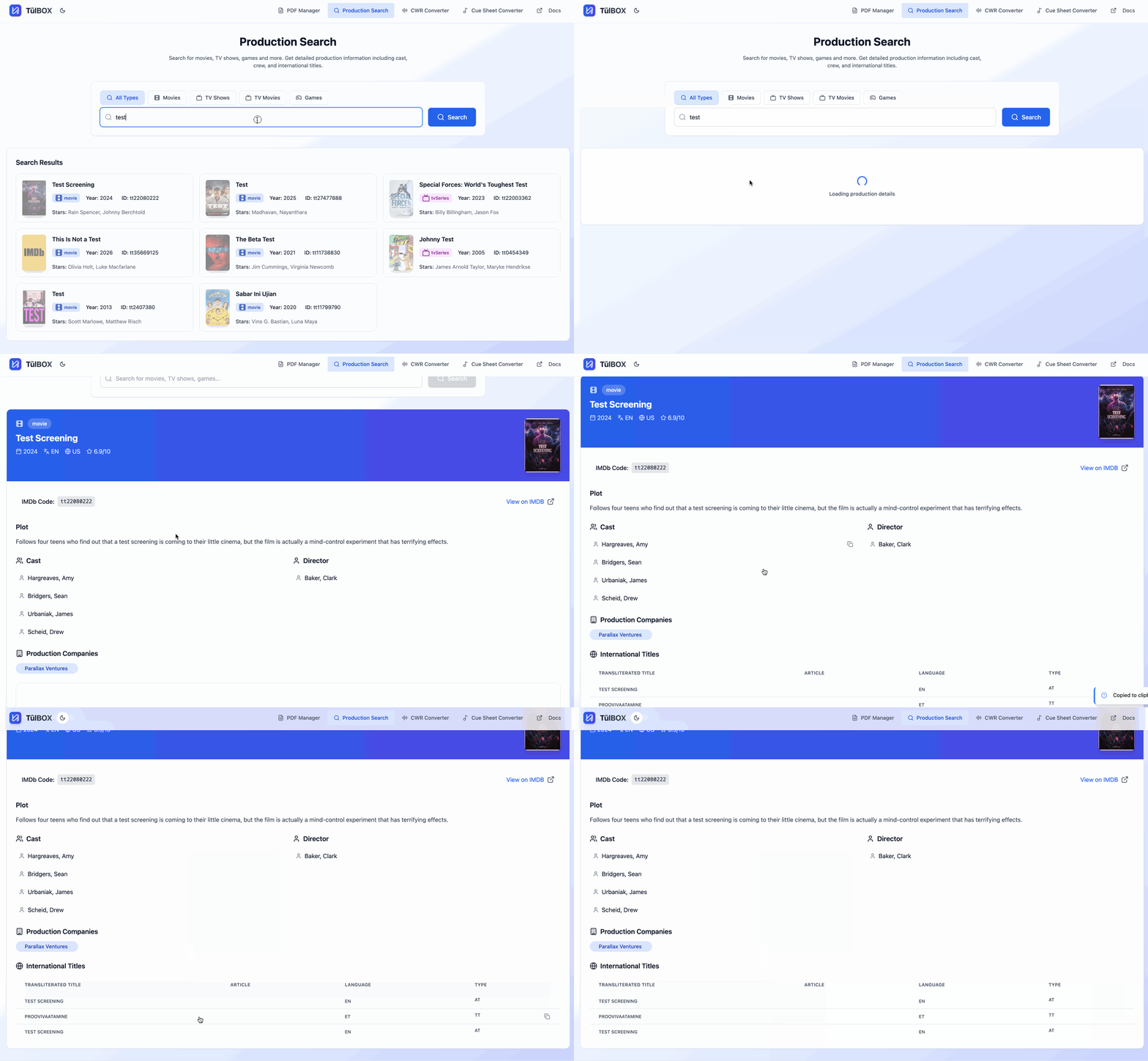
Workflow
- Choose a type Use the toggle (All / Movies / TV Shows / Games) above the search bar. Selecting a type narrows the results to that category. Leaving it on All performs a global search; you can always re‑filter the results afterwards with the same toggle.
To narrow search results, set the filter before you click Search—that way the API only returns the data you need.
-
Search Enter a title, keyword, or IMDb ID (
tt1234567) and press Enter or click Search. -
Browse & drill down Click any card to open a detail pane showing:
• Cast & crew with roles
• Plot synopsis & runtime
• Ratings & production companies
• International titles (AKA) with automatic transliteration/language tags
International titles appear in Romanized transliteration for easy copy‑paste.
-
Copy anything Click any field—or an entire AKA row—to copy its value to your clipboard. No tedious text selection required.
-
Open on IMDb Use the IMDb link to jump to the official page in a new tab whenever you need deeper research.